
Get started with the Expense Sorted app
Download the app. Drop in a bank CSV. Click Categorize. Your data stays on your computer.
If you paid for Sheets Pro or the Chrome extension, you already get Pro on the app. Check the email you bought with, or see /migrate.
Free forever for core tracking · Pro $49 lifetime for on-device AI
Prefer the product story first? Expense Sorted Local
1. Download the app
The Expense Sorted app is the default path — macOS and Windows. Open it, import a CSV, and categorize. Your data stays on your computer.
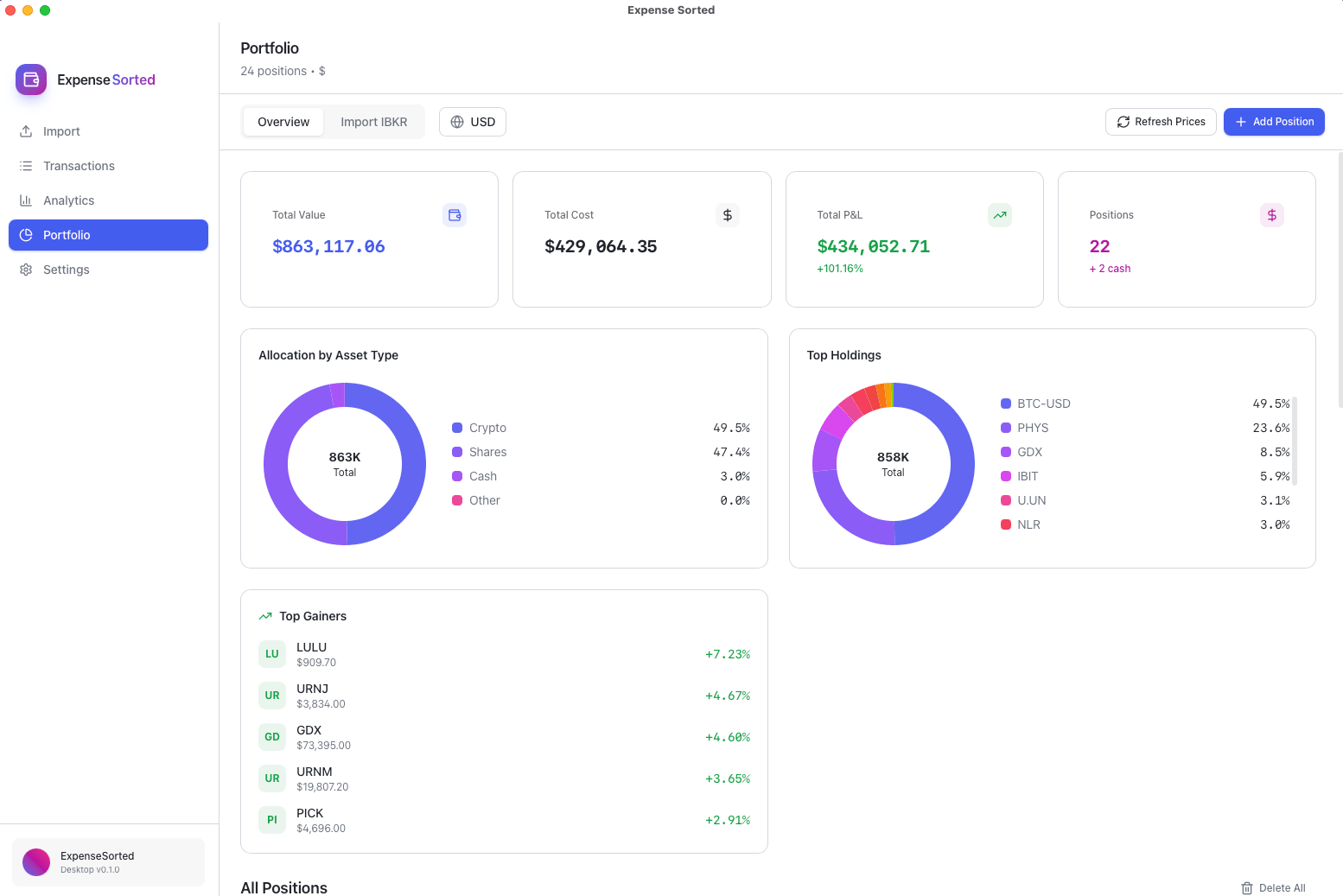
2. Import a bank CSV
Export a statement from your bank or broker. In the app, drag the file in (or choose Import). Map columns if asked. No bank login required.
CSV in, no bank link
- 1Download a statement CSV from your bank or broker portal.
- 2Drop it into the app. Map columns once if needed.
- 3Confirm the preview, then import.
3. Categorize
Click Categorize. Review suggestions and accept what looks right. Rules-based categorize is free forever. Pro adds on-device AI.
- Click Categorize in the app.
- Scan the suggestions — accept, edit, or skip.
- Your transactions stay in a file on your computer.
4. Unlock Pro
Pro is on-device AI categorize — not a new product. Paste your key in the app under Settings → License.
Already paid for Sheets Pro?
If you paid for Sheets Pro or the Chrome extension, you already get Pro on the app. Check the email you bought with, or see /migrate.
Complimentary Pro detailsNew here? Trial or $49
Start a 14-day Pro trial (email, no card) or buy Pro for $49 lifetime.
Advanced
Command-line install and connecting an AI helper after the app works. Most people never need these steps.
Install es (macOS)
Primary CLI path is a macOS tarball from GitHub Releases with a prebuilt native SQLite binding. Put es on your PATH.
- Install Node.js 20 or 22 LTS (required on PATH). Prefer matching the Node major used when the tarball was built (releases target 22). nodejs.org
- Download the asset for your Mac from GitHub Releases:
es-macos-arm64-*.tar.gz(Apple Silicon) ores-macos-x64-*.tar.gz(Intel). - Extract and add
binto PATH, then verify:
mkdir -p ~/opt
tar -xzf ~/Downloads/es-macos-arm64-*.tar.gz -C ~/opt
# folder name looks like: es-macos-arm64-0.0.1
export PATH="$HOME/opt/es-macos-arm64-0.0.1/bin:$PATH"
# or symlink: ln -sfn "$HOME/opt/es-macos-arm64-0.0.1" "$HOME/opt/es"
#            export PATH="$HOME/opt/es/bin:$PATH"
hash -r
es help
Deep packaging, signing, monorepo build, and smoke helpers: docs/INSTALL_LOCAL.md on GitHub (maintainer SoT — not required for the app path above).
The desktop app is the default path — download from the product page. Windows CLI tarball is not the primary path yet.
Activate license / trial (CLI)
Prefer the app: Settings → License. Trial and purchase keys are emailed to you (signed tokens). There is no machine fingerprint and no phone-home for your transactions. CLI does not self-mint licenses.
- Desktop: paste the key when prompted, or open Settings → License.
- CLI: run
es doctorfirst — it shows which database was discovered and your license tier. If you are on Free,es license activateapplies Pro in one step: it reuses your Desktop sign-in when present, syncs entitled cloud accounts, or prints the next step.
Advanced: paste key / manual sync
Prefer es license activate. Use these only when you want to paste a key directly or sync manually — ES_DB is only needed to force a specific database.
export ES_DB="$HOME/Library/Application Support/com.fstrauf.expensedesktop/expensedesktop.db"   # advanced: only to force a specific DB
es license set 'YOUR_KEY_HERE'

# Existing Desktop / Sheets / AI customers (API key):
export ES_API_KEY='your-desktop-api-key'
es license sync
Already a cloud customer? es license activate auto-discovers your Desktop API key and syncs. Need a trial? Start 14-day free Pro trial on the product page (email mint). Buy Local Pro lifetime from pricing.
Prepare local AI (Pro)
Local Pro categorize and semantic search need a one-time MiniLM model on disk (~23MB under ~/.expensesorted/models/). Free skips this and stays rules-only. License alone does not download the model.
Skip the ES_DB line below unless you need to force a specific database — discovery finds the Desktop profile DB on its own.
export ES_DB="$HOME/Library/Application Support/com.fstrauf.expensedesktop/expensedesktop.db"   # only to force a specific DB
es doctor              # should say Next: es embed setup when Pro + model missing
es embed setup         # download/warm model once
es embed backfill      # optional: vectorize existing history for personal NN
es doctor              # green: Local Pro AI ready
After setup, restart MCP clients so long-lived es mcp processes see the model. Use es embed setup --backfill to warm and backfill in one step.
MCP config
Print a Claude Desktop / Cursor snippet and paste it into your client. Leave ES_DB empty and the engine discovers your Desktop profile database automatically. Set an absolute SQLite path only for multi-DB or non-Desktop setups.
es mcp --print-config
Example shape (discovery — ES_DB empty):
{
  "mcpServers": {
    "expense-sorted": {
      "command": "es",
      "args": ["mcp"],
      "env": {
        "ES_DB": ""
      }
    }
  }
}
Claude Desktop — merge under mcpServers in ~/Library/Application Support/Claude/claude_desktop_config.json
Cursor — Settings → MCP → add server from JSON
Desktop profile DB (macOS example): ~/Library/Application Support/com.fstrauf.expensedesktop/expensedesktop.db
If es is not on the client's PATH, set command to the absolute path of bin/es. Restart the client after saving.
Windows (Desktop installed): skip the CLI paste. Open Expense Sorted → Settings → Connect Claude. That writes Claude Desktop config against the app-bundled engine and your profile database.
First workflow (MCP tools)
Honest cold path against your local DB. Import and categorize default to dry-run (apply: false) until you confirm.
- 1
es_status
Confirm DB path, counts, and license tier.
- 2
es_import_csv
Import a bank CSV (path or text). Start with apply: false (dry-run), then apply: true when the mapping looks right.
- 3
es_categorize
Suggest categories. Start with apply: false; Free uses rules-only; Pro uses local NN after es embed setup (not rules fallback).
- 4
es_accept_categories
After review, write accepted category updates (clears needs_review).
- 5
es_summarize / es_query
Totals by category/month, or filter transactions — no free-form SQL.
Default: use the Desktop app for import and categorize on the same file — no MCP required.
Free vs Pro
Free Local
Import, query, export, summarize, rules-based categorize, MCP install — forever free. No MiniLM / seed NN / personal vectors.
Local Pro — $49 lifetime
One-time: local NN categorize, embeddings, semantic search after es embed setup. Trial = 14-day Pro via email mint on /local.
Privacy
Transactions live in local SQLite. Local product flows do not upload statements to Expense Sorted for cloud classify — categorization stays on-device.
Troubleshooting
Gatekeeper / quarantine blocks extract
Unsigned builds may be quarantined. Clear with
xattr -dr com.apple.quarantine ~/opt/es-macos-*DB_NOT_FOUND / wrong database
MCP and
es license setdo not create a missing DB — open Desktop once or import data first. Runes doctorto see which path was discovered. Set an absoluteES_DBonly when you need to force a different DB. Discovery: ES_DB → desktop profile →~/.expensesorted/data.db.DB_BUSY
Another process holds a write lock (Desktop, another es mcp, daemon). Close the other writer or retry shortly.
EMBEDDING_MODEL_MISSING / rules-only on Pro
Pro is a license flag; local NN needs MiniLM on disk. Run
es doctorthenes embed setup. Restart MCP after setup. Free stays rules-only by design.MCP client cannot find es
Set
commandin MCP JSON to the absolute path ofbin/es, not only the bare name.Still Free after pasting a key
The key is stored even when verify fails (typo, wrong product, expired trial). Check
es license setoutput for tier/verify, confirm the sameES_DB, and re-copy the full token from email.
Still stuck? Support · packaging depth: INSTALL_LOCAL.md
Ready for Pro?
Free rules forever. Unlock on-device AI categorize with a one-time $49 license — or try Pro for 14 days.