
Private Alternatives to Manual Expense Tracking
The main alternatives to manual expense tracking are importing bank CSV exports and categorizing them with rules, bank-sync budgeting apps, receipt-scanning apps, and local desktop apps. CSV import and local apps are the private options: no third party needs your bank login, and you decide where your transaction data is stored.
Typing every purchase into a spreadsheet works until the week you skip it. Most people who give up on expense tracking give up on data entry, not on the idea of knowing where their money goes. The fix is to stop entering transactions by hand, without handing your bank account to another company.
The Four Alternatives Compared
| Option | How transactions arrive | Who sees your bank data | Effort |
|---|---|---|---|
| Bank CSV import + rules (Google Sheets) | You download statements and import them | Only you and your Google account | A few minutes per import, plus rule upkeep |
| Bank-sync budgeting apps | Live connection through a data aggregator | The app and its aggregator | Lowest, once connected |
| Receipt-scanning apps | You photograph receipts | The app provider | Per receipt; misses card-only spending |
| Local desktop app | You import bank CSVs into software on your computer | Only you | A few minutes per import; categorization is automatic |
If privacy is the reason you are still typing transactions by hand, the first and last options remove the typing without adding a new party to your bank data. The rest of this guide shows how to build the Google Sheets version. If you would rather not maintain formulas, see when a local app fits below.
What Bank-Sync Apps Trade for Convenience
Bank-sync apps are convenient because an aggregator keeps a live connection to your accounts. That means:
- Full transaction history leaves your bank. The app and its aggregator hold a copy of every purchase and balance.
- Business models vary. Some apps charge a subscription; free ones often earn money from ads or financial-product referrals. The privacy policy tells you which.
- Leaving can be awkward. Export options differ between apps, so check you can get your history out in a usable format before you commit.
None of this makes bank-sync apps bad. It is a trade: convenience in exchange for ongoing access to your data. If you would rather not make that trade, the options below keep the data with you.
Build the Private Version in Google Sheets
You can replace manual entry with a CSV-import spreadsheet built from tools you already have.
The Core Philosophy: Your financial data should work for you, not against you. Every piece of information about your spending should help you make better decisions, not help someone else make money from you.
Why Google Sheets Beats Apps for Privacy
Complete Data Ownership:
- Your data stays in your Google account
- No budgeting company or aggregator connected to your bank
- Easy to export and move anytime
- You control exactly who can see what
No Hidden Monetization:
- Google doesn't sell your personal Sheets data to third parties
- No budgeting-app business model built on your transactions
Unlimited Customization:
- Track exactly what matters to you
- Create categories that match your actual life
- Build reports that answer your specific questions
- Modify the system as your needs change
Future-Proof Security:
- No risk of the company shutting down
- No surprise subscription fees
- No feature limitations or paywall restrictions
- Exports cleanly to CSV or Excel if you ever move
Our spreadsheet is a perfect example of this in action.
The Complete Private Expense Tracking System
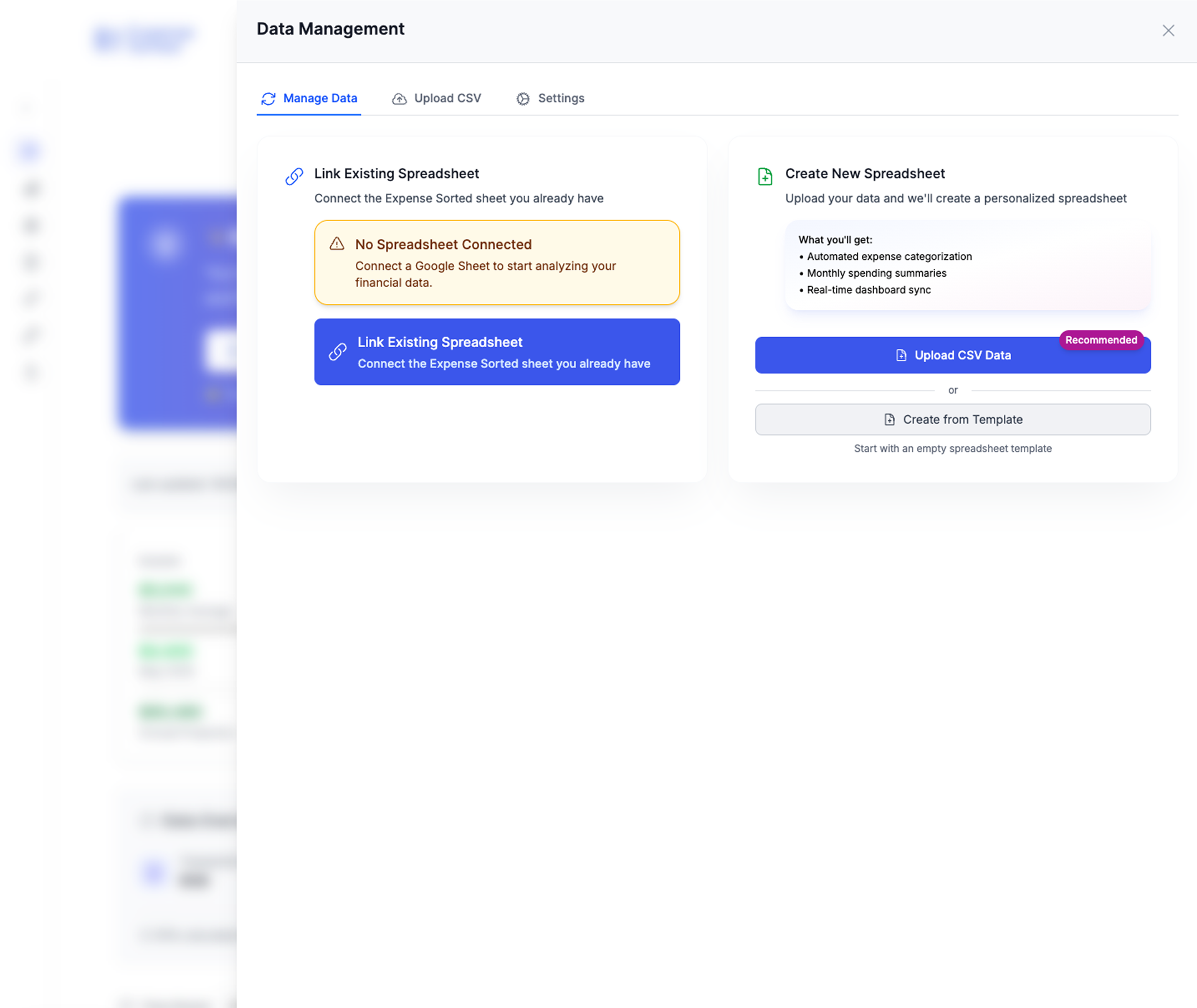 Complete data management with full privacy control - your financial data stays yours
Foundation: The Smart Category System
Most people fail at expense tracking because they use generic categories that don't match their actual spending patterns. Here's how to build categories that work:
Level 1: Essential Categories (The Big 4)
- Housing: Rent/mortgage, rates, utilities, maintenance
- Transport: Vehicle costs, public transport, fuel, parking
- Food: Groceries, dining out, coffee, takeaways
- Everything Else: All other spending
Level 2: Detailed Categories (Once You Have Data) After tracking Level 1 for a month, you'll see where "Everything Else" money actually goes:
- Personal care and health
- Entertainment and recreation
- Clothing and household items
- Insurance and financial services
- Children and family expenses
Level 3: Insight Categories (For Optimization) These categories help you understand your spending psychology:
- Convenience spending: Purchases made to save time
- Impulse spending: Unplanned purchases under $50
- Emotional spending: Purchases made during stress or celebration
- Investment spending: Purchases that save money long-term
The Three-Tab System
Tab 1: Transaction Log Simple input system for all spending:
- Date | Amount | Description | Category | Payment Method
- One row per transaction
- Weekly batch entry (15 minutes)
- Monthly review and categorization refinement
Tab 2: Monthly Dashboard Visual overview of your spending:
- Current month spending by category
- Budget vs actual comparisons
- Trend analysis (spending up/down vs last month)
- Cash flow summary (money in vs money out)
Tab 3: Analysis Engine Deep insights into your spending patterns:
- Average spending by category over 3/6/12 months
- Seasonal spending pattern identification
- Spending efficiency metrics (cost per convenience, etc.)
- Financial runway calculations
Advanced Privacy Features
Transaction Description Masking Instead of recording "Coffee at Starbucks," record "Caffeine." Instead of "Dinner at expensive restaurant," record "Social dining."
This protects your privacy even if someone gains access to your sheet while still giving you the spending insights you need.
Location Independence Never record specific locations or businesses unless necessary for tax deductions. Focus on categories and spending patterns, not vendor tracking.
Secure Sharing If you need to share financial information (with a partner, accountant, or financial adviser), create summary views that don't include detailed transaction data.
Setting Up Your Private System (Step-by-Step)
Want to skip the setup? Grab our pre-built, privacy-focused Google Sheet template here.
Step 1: Create Your Tracking Sheet (30 minutes)
- Open Google Sheets and create a new spreadsheet
- Name it something generic like "Monthly Expenses" (avoid "Budget" or "Finance")
- Set up Tab 1 (Transaction Log) with columns:
- Date | Amount | Category | Payment Method | Notes
- Create your initial category list (start with 8-10 categories max)
- Set up basic formulas for monthly totals by category
Step 2: Establish Your Input Routine (Week 1)
Daily Option: Quick mobile entry
- Use Google Sheets mobile app
- 30-second entry for each transaction
- Best for people who make many small purchases
Weekly Option: Batch processing (Recommended)
- Review bank/credit card statements once per week
- Enter all transactions in one 15-minute session
- Best for people who prefer dedicated financial admin time
Hybrid Option: Cash daily, cards weekly
- Enter cash transactions immediately (they're easily forgotten)
- Batch process card transactions weekly from statements
Step 3: Build Your Analysis System (Week 2)
Basic Analysis:
- Monthly spending by category
- Budget vs actual variance
- Month-over-month trends
- Annual spending projections
Advanced Analysis:
- Spending per day of week (identify patterns)
- Seasonal spending variations
- Cost per convenience calculations
- Financial runway based on essential vs discretionary spending
Step 4: Optimize for Insights (Month 2+)
Once you have a month of data, start optimizing your system:
Category Refinement: Split categories that are too broad, combine categories that are too narrow
Pattern Recognition: Look for spending patterns you didn't expect:
- Higher spending on specific days of the week
- Emotional spending triggers
- Seasonal variations you hadn't considered
Optimization Opportunities: Identify areas where small changes could have big impact:
- Subscription services you'd forgotten about
- Convenience spending that doesn't actually save time
- Social spending that doesn't align with your values
Advanced Privacy Protection Techniques
Data Minimization
Only track what you need for decision-making. More data isn't always better - it's just more information that could potentially be compromised.
What to Track:
- Amount, category, date
- Payment method (for cashflow management)
- Essential notes for tax or reimbursement purposes
What NOT to Track:
- Specific vendors unless required for taxes
- Exact locations of purchases
- Detailed personal information
- Information that doesn't impact financial decisions
Access Control
Google Sheets Security Settings:
- Set sharing to "Private" (only you can access)
- Use two-factor authentication on your Google account
- Regularly review account access and connected apps
- Never share edit access unless absolutely necessary
Device Security:
- Use screen locks on all devices accessing your financial data
- Log out of Google Sheets when using shared computers
- Avoid accessing financial data on public Wi-Fi
- Keep your devices updated with latest security patches
Data Portability Planning
Always maintain the ability to leave any platform:
Regular Backups:
- Monthly export of your complete spreadsheet
- Save copies in multiple formats (Excel, CSV, PDF)
- Store backups in different locations (local drive, cloud storage)
Platform Independence:
- Use formulas and features that work in multiple spreadsheet programs
- Avoid Google Sheets-specific features that lock you into the platform
- Document your system so it could be recreated elsewhere
Handling New Zealand Banking Specifics
Multiple Bank Account Tracking
Most Kiwis have accounts with multiple banks. Here's how to track efficiently:
Account Coding System:
- ANZ-C: ANZ Credit Card
- ASB-S: ASB Savings
- WBC-E: Westpac Everyday
Weekly Reconciliation Process:
- Download CSV files from each bank
- Import into a staging area in your sheet
- Categorize and clean up transaction descriptions
- Copy finalized transactions to your main log
- Verify totals match bank statements
Handling New Zealand Payment Methods
EFTPOS vs Credit Card Tracking:
- EFTPOS transactions: Immediate impact on cash flow
- Credit card transactions: Track both purchase date and payment date
- Direct debits: Set up automatic categorization for recurring payments
Cash Transaction Management:
- Weekly cash withdrawal tracking
- Simple cash expense categories (coffee, parking, tips)
- Don't obsess over exact cash allocation - estimate is fine
Online Payment Services:
- PayPal, Apple Pay, Google Pay: Track the underlying funding source
- Afterpay, Laybuy: Track both the purchase and the payment schedule
- Direct debit services: Set up automatic recognition
Advanced Formulas for Financial Insights
Spending Velocity Calculator
Track how quickly you spend money after receiving income:
=DAYS(LastPayDate, SpendDate) / TotalSpent
This helps identify if you're spending too quickly after payday.
Financial Runway Calculator
How long your savings would last at current spending rates:
=CurrentSavings / (AVERAGE(LastThreeMonthsSpending))
Updates automatically as you add new transactions.
Spending Efficiency Metrics
Compare cost per use for different categories:
=MonthlySubscriptionCost / TimesUsedPerMonth
Helps identify subscriptions that aren't worth their cost.
Seasonal Spending Analysis
Identify patterns in your spending across the year:
=SUMIFS(Amount, Month, "December") / SUMIFS(Amount, Month, "June")
Helps with annual budgeting and cash flow planning.
Building Your Financial Privacy Community
Partner/Spouse Collaboration Without Compromising Privacy
Separate Individual Tracking: Each person maintains their own transaction log Shared Summary Reports: Create monthly summaries that don't include transaction details Joint Category Decisions: Agree on categories and spending goals together Privacy Boundaries: Respect each other's right to financial privacy within agreed limits
Sharing with Financial Professionals
Accountant Sharing: Create summary reports by category, not detailed transactions Financial Adviser Sharing: Focus on patterns and trends, not individual purchases Tax Preparation: Export only tax-relevant transactions with supporting documentation
Teaching Children Financial Privacy
Age-Appropriate Tracking: Start with simple categories and basic tracking Privacy Education: Explain why financial information should be kept private System Building: Teach them to build their own tracking system as they grow Values Alignment: Help them understand how spending connects to their values
Common Setup Problems and Solutions
"I Can't Remember to Track Everything"
Solution 1: Set up weekly calendar reminders for batch processing Solution 2: Link tracking to an existing habit (Sunday evening planning) Solution 3: Use bank statement imports rather than manual entry Solution 4: Accept 80% accuracy rather than perfect tracking
"My Categories Don't Work"
Solution 1: Start with fewer categories and split them as needed Solution 2: Track your "miscellaneous" spending for a month to see patterns Solution 3: Use broad categories initially, then add subcategories Solution 4: Copy successful category systems, then customize
"The System Is Too Complicated"
Solution 1: Start with a single tab and basic tracking Solution 2: Add complexity gradually as you get comfortable Solution 3: Focus on the 20% of features that give 80% of the benefit Solution 4: Remember: simple but consistent beats complex but abandoned
"I Don't See the Value"
Solution 1: Track for three months before evaluating usefulness Solution 2: Focus on finding one significant spending leak Solution 3: Calculate the privacy value, not just the financial value Solution 4: Connect tracking to a specific financial goal
The Psychology of Private Expense Tracking
Behavioral Changes from Privacy-First Tracking
Increased Mindfulness: When you know your data isn't being sold, you focus on your actual spending patterns rather than optimizing for an algorithm.
Reduced Anxiety: No worry about data breaches, privacy policy changes, or targeted marketing based on your financial stress.
Better Decision-Making: Data that serves your goals rather than someone else's profit motives leads to better financial decisions.
Authentic Goal Setting: Without external algorithms suggesting what you should want, you develop goals that align with your actual values.
The Compound Effect of Financial Privacy
Year 1: Basic privacy protection and awareness of spending patterns Year 2: Improved financial decision-making from unbiased data Year 3: Significant savings from avoiding targeted financial marketing Year 5: Complete financial autonomy and privacy-first financial systems Year 10: Generational privacy practices that protect your family's financial future
Advanced Integration Strategies
Integration with Investment Tracking
- Separate investment tracking from spending tracking
- Use different systems for different purposes
- Maintain privacy across all financial systems
- Coordinate without compromising compartmentalization
Tax Optimization Integration
- Flag tax-deductible expenses without detailed tracking
- Export tax-relevant data without exposing personal information
- Maintain documentation standards for IRD compliance
- Separate business and personal tracking systems
Estate Planning Integration
- Document your financial systems for beneficiaries
- Provide access instructions without compromising current privacy
- Create simplified versions for emergency access
- Maintain control while planning for transition
Measuring Success: Privacy + Financial Health
Privacy Metrics
- Zero instances of financial data being used against you
- Complete control over who accesses your financial information
- Ability to export and delete your data anytime
- No surprise marketing based on your spending patterns
Financial Health Metrics
- Spending patterns aligned with your stated values
- Improved financial decision-making over time
- Increased savings rate through spending optimization
- Reduced financial stress and anxiety
System Effectiveness Metrics
- Time spent on tracking (should decrease over time)
- Accuracy of spending insights (should increase over time)
- Usefulness of reports for decision-making
- Sustainability of the tracking habit
Your 30-Day Private Tracking Challenge
Week 1: Foundation
- Set up your basic Google Sheets tracking system
- Define your initial categories (maximum 10)
- Enter one week of transactions manually
- Set up your weekly tracking routine
Week 2: Automation
- Set up bank statement import process
- Create basic analysis formulas
- Establish your weekly review process
- Identify initial spending patterns
Week 3: Optimization
- Refine categories based on actual spending
- Add privacy protection features
- Create summary reports for decision-making
- Identify first spending optimization opportunity
Week 4: Integration
- Connect tracking to your financial goals
- Set up monthly reporting routine
- Plan for system maintenance and improvement
- Evaluate benefits and plan next steps
When a Local App Fits
The Google Sheets system above removes typing, but you still maintain the import steps and category rules yourself. If that upkeep is the part you keep skipping, Expense Sorted Local imports your bank CSV exports and categorizes them on your own computer, with free rules or optional on-device AI. There is no bank login and no cloud upload, and it works offline.
It sits alongside a spreadsheet rather than replacing it. See Local vs a Google Sheets template for when each one fits, and why local transaction categorization for the privacy reasoning.
The Bottom Line
Manual expense tracking fails on data entry, not on intent. You can replace the typing in three ways: import bank CSVs into a spreadsheet with rules, move to a local app that categorizes imports for you, or accept a bank-sync app's access to your accounts in exchange for convenience. The first two keep your transaction data with you.
Related Articles
Privacy-focused:
- Track expenses without linking bank accounts
- Expense tracker without bank linking: the privacy-first Google Sheets method
- Privacy-first spending management in NZ
- Budgeting apps in NZ: why privacy matters
Budget app alternatives:
- Apps that auto-categorize transactions like Mint
- Actual Budget review: open-source budgeting that keeps data local
- Firefly III review: self-hosted personal finance manager
Build your own:
Frequently Asked Questions
What are the alternatives to manual expense tracking?▾
There are four main ones: importing bank CSV exports and categorizing them with rules, bank-sync budgeting apps, receipt-scanning apps, and local desktop apps that categorize imported statements on your own computer. They differ mainly in how much access to your bank data they need.
How can I track expenses without typing every transaction?▾
Download CSV statements from your bank each week or month and import them into a spreadsheet or a local app. A rules table that maps merchant names to categories then fills in most categories automatically, so you only review the leftovers.
Is a Google Sheets budget tracker free and private?▾
Google Sheets is free, and if you import CSV files yourself no budgeting company or data aggregator gets access to your bank account. The sheet still lives on Google Drive, so keep sharing settings tight and two-factor authentication on.
What data do free budgeting apps collect?▾
Bank-sync apps usually collect your full transaction history and account balances through an aggregator. Some free apps earn money from ads or financial-product referrals, so read the privacy policy to see how your data is used and shared before you connect an account.
Can I track expenses without linking my bank account?▾
Yes. Use CSV exports from your bank instead of a live connection. You can import them into Google Sheets or a local app like Expense Sorted Local, and no third party ever needs your bank login.
Free Google Sheets template
- Works in your existing sheets
- Import bank CSVs into your sheet
- Upgrade path to Local Pro $49 lifetime
Works with any bank CSV format
Related Articles
Free Google Sheets Expense Tracker Template (Copy & Customize)
A Google Sheets expense tracker template gives you a ready-made structure—columns, formulas, and summary tables—so you can start tracking spending immediately instead of spending a weekend building a spreadsheet from scratch.
Personal Finance TrackingAllowable Business Deductions Australia: Maximize
Maximize your Australian small business tax deductions in 2025. Industry-specific guides for consultants, tradies, creatives, and online businesses — with ATO-compliant strategies to claim thousands more each financial year.
tax planningFree Budget Spreadsheet Template for Google Sheets 2026
Create a functional budget spreadsheet from scratch using templates and formulas. Track income, expenses, and savings with an easy setup.
budgetingAuto Categorize Bank Transactions in Excel: 6 Methods
Step-by-step guide to auto categorize bank transactions in Excel using VLOOKUP, INDEX-MATCH, nested IFs, and Power Query — with formulas you can copy right now.
expense tracking