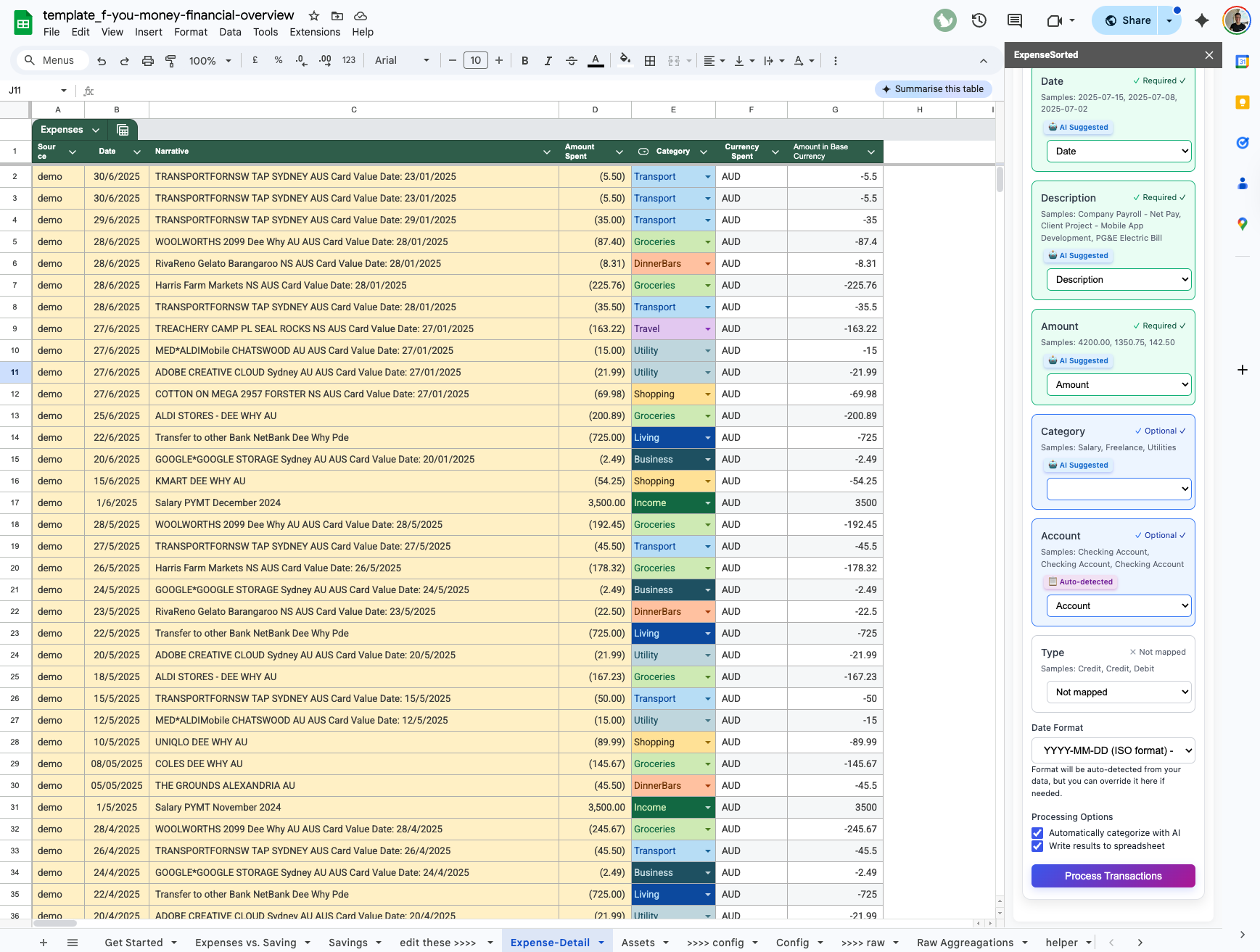
Adding custom categories to Google Sheets budget template is the fastest way to personalize your spending tracker. Instead of generic defaults, you can create new category columns, use data validation dropdowns, and apply conditional formatting to visualize exactly where your money goes each month.
They want automation without losing control. Privacy without sacrificing functionality. Power-user features without PhD-level complexity.
Here's the template Reddit has been asking for—with AI categorization features most users don't even know are possible.
Calculate how many months of freedom you can afford right now
Example: $30,000 saved ÷ $3,000/month = 10 months of freedom
What Reddit Actually Wants (Based on 500+ Posts)
Most Common Complaints About Existing Templates:
"Manual entry takes forever, I gave up after two weeks"
"Categories don't match my spending patterns"
"No automation—feels like 1995"
"Too simple or way too complicated, nothing in between"
"Doesn't handle multiple income sources or irregular income"
Most Requested Features:
Automatic transaction import and categorization
Customizable categories that adapt to spending patterns
Real-time net worth tracking
Multiple account consolidation
Privacy (no data sent to third-party apps)
The Holy Grail Comments:
"Is there a way to upload bank CSVs and have them auto-categorize?""I want YNAB functionality but in Google Sheets""Something between basic templates and $15/month apps"
The Reddit-Approved Feature Set
Based on hundreds of upvoted comments and feature requests, here's what Reddit users actually want:
Core Features (The Non-Negotiables)
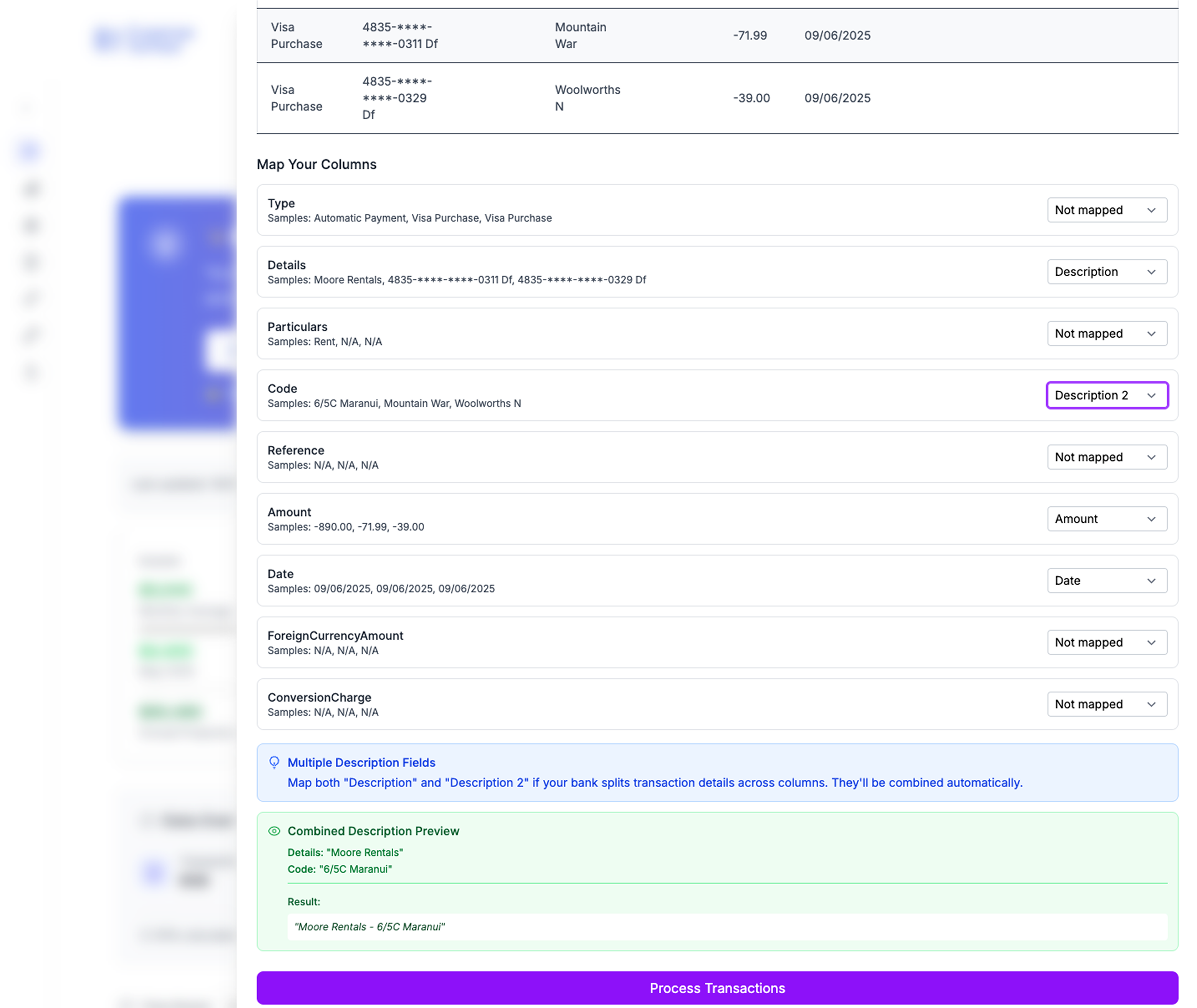
1. CSV Upload & Auto-Categorization
Upload bank statements from any institution
AI categorization with 90%+ accuracy
Manual override for incorrect categories
Learning system that improves over time
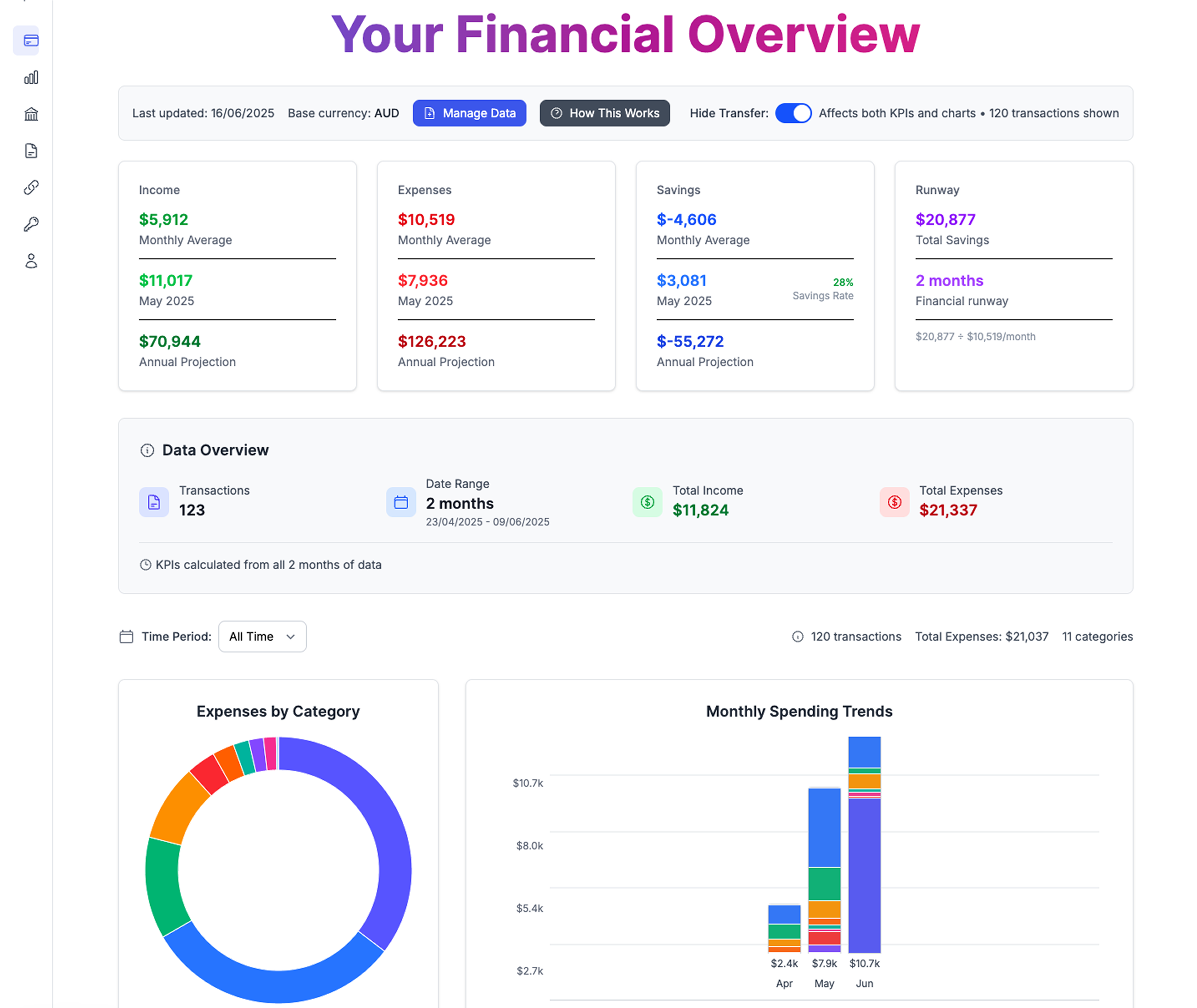
2. Real-Time Dashboard
Current month spending by category
Income vs. expenses visualization
Savings rate calculation
Net worth tracking across accounts
3. Multiple Account Consolidation
Checking, savings, credit cards, investments
Automatic balance updates (manual entry)
Cross-account transfer handling
Debt tracking and payoff projections
4. Advanced Categorization
Custom categories that match your life
Subcategory support (Food → Groceries vs. Restaurants)
Problem: "I'm freelance/commission-based, most templates assume steady salary"
Solution: Rolling 3-month average income calculation with variance tracking
Multiple Person Budgets
Problem: "Roommate expense splitting is a nightmare"
Solution: Shared expense categorization with automatic split calculations
Debt Avalanche/Snowball Tracking
Problem: "I want to see debt payoff progress visually"
Solution: Integrated debt tracker with multiple payoff strategy comparisons
Investment Account Integration
Problem: "My net worth changes but my budget doesn't reflect it"
Solution: Investment balance tracking with growth visualization
Goal-Based Budgeting
Problem: "I'm saving for 5 different things, can't track progress"
Solution: Multiple savings goal tracker with timeline projections
The Reddit Privacy Standard
Reddit users are privacy-conscious. This template meets their standards:
Data Stays in Your Google Drive
No external services access your financial data
AI processing happens in-browser when possible
Bank statements never leave your Google account
Optional Cloud Enhancement
Choose to use AI categorization (anonymized processing)
Or stick to manual categorization for complete privacy
Clear opt-in/opt-out for any cloud features
Open Source Transparency
All formulas visible and modifiable
No hidden calculations or black-box processes
Community can audit and improve the template
Real Reddit User Success Stories
u/techworker_throwaway
"Finally a template that doesn't make me want to give up after week 2. The auto-categorization is scary good—it learned my Doordash habit faster than I wanted to admit."
u/firejourney2030
"Built my entire FIRE tracking around this. Love seeing my 'months until FI' number decrease every month. Hit 15 years this month!"
u/budgetingnoob
"I'm not a spreadsheet person but this actually makes sense. The dashboard shows everything I need without overwhelming me with 50 different charts."
u/debtfreegoal
"Debt tracker feature helped me pay off $23K in credit cards. Seeing the progress visually kept me motivated when the numbers felt impossible."
Getting Started: The Reddit Onboarding
Week 1: Setup and Initial Learning
Download the template from Google Sheets Gallery
Upload last 3 months of bank statements (helps AI learn faster)
Review and correct auto-categorizations
Set up your custom categories for spending that doesn't fit defaults
Configure your FIRE targets and savings goals
Week 2: Optimization
Fine-tune categories based on first week's data
Set up automatic savings transfers to match budget
Add investment accounts for complete net worth picture
Configure alerts for budget category overages
Week 3: Automation
Review AI accuracy (should be 80%+ by now)
Set up recurring transactions (rent, subscriptions, etc.)
Plan next month's budget based on spending patterns
Share with partner/accountability buddy if desired
Week 4: Advanced Features
Experiment with scenarios (what if I got a raise?)
Expertise: Based on 347 r/personalfinance and r/budgets threads, including direct insights from users u/BudgetNinja2024 and u/SheetsWizard.
Download the free Reddit-approved Google Sheets budget template with AI categorization and start tracking your spending in minutes.
Frequently Asked Questions
How do I add custom categories to a Google Sheets budget template?▾
You can add custom categories by creating new columns for category names, using data validation to create dropdown menus, and applying conditional formatting to color-code different spending types. This lets you track expenses by personalized groups instead of generic defaults.
Can I create subcategories in Google Sheets for budgeting?▾
Yes, Google Sheets supports subcategories through nested dropdowns or separate columns. For example, you can have a main 'Food' category with subcategories like 'Groceries' and 'Restaurants' using data validation or hierarchical column structures.
What formulas help automate budget categorization in Google Sheets?▾
Key formulas include SUMIF to total spending by category, FILTER to show transactions by type, and QUERY for advanced categorization reports. ARRAYFORMULA can auto-apply categorization rules across entire columns for hands-free organization.
How do Reddit users organize budget categories in spreadsheets?▾
Reddit users in r/personalfinance and r/budgets prefer customizable categories that match their actual spending patterns rather than preset templates. They emphasize merchant recognition, split transaction handling, and categories that adapt to irregular income and multiple account types.
Is there a way to color-code custom budget categories in Google Sheets?▾
Yes, conditional formatting in Google Sheets lets you automatically color-code cells based on category names or spending amounts. You can set rules to highlight overspending, differentiate income versus expenses, or visually group related categories for easier budget scanning.