
Free Google Sheets Budget Template for Couples
A Google Sheets budget template for couples is a shared spreadsheet that tracks individual and joint spending in one place. This guide covers how to structure a couples budget template in Google Sheets, split shared expenses fairly, and build a budget spreadsheet for couples that turns money talks into a calm, data-driven habit.
A Google Sheets budget template for couples solves this at the source. It's a shared document—one place where both partners can see exactly how much is coming in, where it's going, and whether you're tracking toward the goals you set together. No surprises. No accusations. Just data.
This guide covers how to structure a budget template that handles both joint and individual spending, what separates a couples budget from a single-person one, and how to set up a Google Sheets template that actually strengthens the financial conversation instead of complicating it.
What's Your Emergency Fund Runway?
Calculate how many months of freedom you can afford right now
Example: $30,000 saved ÷ $3,000/month = 10 months of freedom
Why a Couples Budget Template Is Different
A single-person budget template is relatively straightforward: income goes in, expenses come out, you track the difference. A couples budget is more complex because you're managing multiple income streams, shared expenses (rent, utilities, groceries), and individual spending that varies between partners.
If you try to use a standard expense tracker, you end up with confusion:
- Which person spent that $200? (If it's not recorded, you both blame each other.)
- Is this a shared expense or individual? (Different couples have different rules—and they need to be consistent.)
- Who's spending more? (If nobody knows, resentment builds when one partner feels they're carrying more of the load.)
- Are we actually on budget? (Without a clear target, you can't tell if you're overspending.)
A couples budget template separates these concerns so each question has a clear answer.
Core Components of a Couples Budget Template
1. Income Sheet
This is foundational. Both partners' income sources, listed separately, with a combined total. The income section should include:
| Column | Purpose |
|---|---|
| Income Source | Job, side business, rental income, etc. |
| Partner | Whose income this is (Partner A, Partner B) |
| Monthly Amount | Gross or net (decide once, stay consistent) |
| Frequency | Monthly, biweekly, variable |
| YTD Total | Year-to-date earnings |
The key here is clarity: both partners see exactly how much money is coming in from each source. This becomes important later when you're deciding how to split shared expenses or handle individual spending allowances.
Shared total income is calculated automatically via formula, and every other sheet references this number.
2. Shared Expenses vs. Individual Spending
This is where couples templates differ most from individual ones. You need separate tracking for:
Shared expenses (what you both benefit from):
- Rent or mortgage
- Utilities
- Groceries
- Internet and streaming services
- Insurance premiums
- Childcare
- Transportation (if it's a shared car)
- Shared subscriptions
Individual spending (what each person controls):
- Personal subscriptions
- Entertainment
- Hobbies and personal purchases
- Dining out alone (as opposed to together)
- Individual transportation
- Personal care and clothing
This distinction matters because it determines how you split the costs. Many couples use the "proportional to income" model: if Partner A makes 60% of household income, they cover 60% of shared expenses (or contribute that percentage to a joint fund). Others use a 50/50 split regardless of income. Some split specific categories differently. Your template should support your actual decision, not force a model that doesn't work for you.
3. Monthly Expense Tracking Sheet
A standard transaction log with an added column: Owner (Partner A or Partner B, or "Shared"). This single column unlocks the entire system.
| Column | Purpose |
|---|---|
| Date | When spent |
| Category | Groceries, utilities, entertainment, etc. |
| Description | Merchant, payee, or note |
| Amount | Dollar amount |
| Owner | Partner A, Partner B, or Shared |
| Payment Method | Cash, credit card, account paid from |
As you and your partner add transactions throughout the month, the Owner column creates a natural division. Later sheets summarize "How much did Partner A spend?" and "How much did Partner B spend on shared vs. individual?"
4. Monthly Summary Dashboard
This is where couples templates really pay off. A single sheet that shows:
Income:
- Partner A income
- Partner B income
- Combined household income
Shared Expenses Total
- Subtotal of everything marked "Shared"
- Breakdown by category
Individual Spending:
- Partner A individual spending (breakdown by category)
- Partner B individual spending (breakdown by category)
Who Owes Whom (or the Joint Fund Status):
- If using a proportional split: how much each partner should contribute to cover shared expenses
- Running total of whether the contribution is even or if one partner is ahead/behind
Remaining Budget:
- Shared allowance remaining for each category
- Individual discretionary spending remaining for each partner (if you're budgeting that tightly)
This dashboard should update automatically from the transaction log. Neither partner has to do math or guess—it's all there in one place.
5. Budget vs. Actual Comparison
Set monthly targets for each category, then automatically compare what you budgeted vs. what you actually spent. The most useful layout shows:
| Category | Budget | Actual | Variance | % of Budget |
|---|---|---|---|---|
| Groceries | $600 | $587 | -$13 | 98% |
| Utilities | $200 | $215 | +$15 | 108% |
| Dining Out | $200 | $245 | +$45 | 123% |
| Entertainment | $150 | $120 | -$30 | 80% |
Green for under budget, red for over. It's objective and removes accusation from the conversation. You're not asking "why did you spend so much on dining?" You're looking at a chart that shows you collectively spent $45 more than planned in that category—and then deciding together whether that's acceptable, where you'll cut back, or whether the budget needs adjusting.
Why This Structure Works for Couples
1. Transparency Without Criticism
When both partners see the same numbers in real time, there's no room for different versions of reality. One person can't claim "I only spent $30 on groceries this week" if the transaction log shows $120. The data is neutral. It's not an accusation—it's just what happened.
2. Proportional Fairness
If income is unequal, a couples budget template makes it easy to implement a proportional contribution system. Partner A earns 55% of household income, so they cover 55% of shared expenses. Partner B earns 45%, so they cover 45%. Everyone knows the rule, and the template calculates who owes whom at the end of the month automatically.
3. Individual Autonomy Within Shared Constraints
Partners can still have personal spending freedom. Once shared expenses are covered, individual discretionary spending is nobody else's business. If one partner wants to spend $300 on hobbies and the other spends $50, that's fine—as long as the shared budget is maintained.
4. Early Warning System
Budget targets are set together (this is crucial—if one partner sets all the numbers, the other will resent them). When actual spending hits 80% of budget mid-month in a category, both partners see it and can adjust. No surprises at month's end.
How to Set Up a Couples Budget Template in Google Sheets
Step 1: Create the Basic Structure
- Create a new Google Sheet
- Create separate tabs:
- Income (one row per income source, automatic total)
- Budget Targets (one row per category, columns for partner A responsibility %, partner B responsibility %, or a shared fund %)
- Transactions (the transaction log where you record everything)
- Monthly Summary (the dashboard pulling from transactions)
- Budget Analysis (budget vs. actual)
Step 2: Set Up the Income Tab
List each partner's income sources. Use formulas to calculate:
- Each partner's total monthly income
- Combined household income
- Each partner's percentage of household income (useful for proportional expense splits)
Example formula for Partner A's percentage:
=A_Total_Income / (A_Total_Income + B_Total_Income)
Step 3: Build the Transaction Log
Create columns for Date, Category, Description, Amount, Owner, Payment Method.
Use data validation to create dropdowns for:
- Category (limit to your agreed-upon list)
- Owner (Partner A, Partner B, Shared)
- Payment Method (Cash, Credit Card A, Credit Card B, Bank Transfer, etc.)
This prevents typos and inconsistency. Your SUMIF formulas later depend on exact category names—"Groceries" and "groceries" are different to a spreadsheet.
Step 4: Create the Monthly Summary Dashboard
Pull totals from the transaction log using SUMIFS. Examples:
Total shared expenses:
=SUMIFS(Transactions!C:C, Transactions!E:E, "Shared", Transactions!B:B, ">="&DATE(2026,4,1), Transactions!B:B, "<"&DATE(2026,5,1))
Partner A's individual spending:
=SUMIFS(Transactions!C:C, Transactions!E:E, "Partner A", Transactions!B:B, ">="&DATE(2026,4,1), Transactions!B:B, "<"&DATE(2026,5,1))
Who owes whom (if using proportional split):
=Shared_Expenses * Income!A_Income_Percentage - Shared_Expenses_Paid_By_A
Step 5: Add Budget Targets and Analysis
Create a sheet where you list:
- Each category
- Target amount
- Actual amount spent (pulled from transactions via SUMIF)
- Variance
- Conditional formatting to highlight over-budget items
Smart Categorization for Couples
The difference between a budget that survives and one that's abandoned in six weeks is usually the category list. Too many categories and data entry becomes a chore; too few and you can't see where money actually goes. For couples, you also need categories that respect the shared/individual split.
Individual Categories:
- Personal Discretionary: Coffee, personal shopping, hobbies, individual entertainment
- Professional: Career development, networking, work-related expenses
- Health: Personal healthcare, fitness, wellness not covered by insurance
- Transportation: Personal vehicle costs, rideshares, public transit
Shared Categories:
- Home: Rent/mortgage, utilities, maintenance, improvements
- Food: Groceries, shared meals, household supplies
- Joint Entertainment: Date nights, couple activities, shared subscriptions
- Travel: Vacations, visiting family, shared adventures
Example Transaction Handling:
| Bank Description | Category |
|---|---|
| "STARBUCKS" | Partner A — Personal Discretionary |
| "WHOLE FOODS $127" | Shared — Food |
| "NETFLIX" | Shared — Entertainment |
| "SHELL GAS" | Partner B — Transportation |
| "COUPLES MASSAGE" | Shared — Entertainment |
Decide the shared/individual rule for recurring merchants once, write it down in a "rules" tab, and never re-litigate it at the kitchen table. The goal is that categorizing a transaction takes two seconds, not a discussion.
Common Couples Budget Models
Model 1: Proportional Split (Income-Based)
Each partner covers expenses proportional to their income. If Partner A earns 60%, they cover 60% of shared costs.
Pros: Feels fair when incomes are very unequal. Doesn't penalize the higher earner.
Cons: Requires constant calculation. One partner might resent feeling like they're subsidizing the other.
Model 2: 50/50 Split
Shared expenses split evenly, regardless of income differences.
Pros: Simple. Feels equal.
Cons: Can feel unfair if incomes are very different.
Model 3: Joint Fund
Both partners contribute to a shared account that covers all shared expenses. Individual spending comes from individual accounts.
Pros: Clear separation of shared vs. individual. Easy to track. Shared spending is truly shared.
Cons: Requires one or more joint accounts. Adds complexity if one partner is significantly higher earner.
Model 4: One Partner Covers Specific Categories
Partner A covers rent and utilities. Partner B covers groceries and transportation. Individual spending is on each person.
Pros: Simple division. Clear responsibility.
Cons: Can feel arbitrary. Doesn't adjust if one category grows significantly.
Your couples budget template should support whichever model you actually use. The structure above is flexible—just adjust the "Owner" definitions and the formulas that calculate who owes whom.
Handling Common Couple Money Scenarios
Budget models are the theory. Here's how the template handles the situations that actually come up:
Scenario 1: Income Imbalance
Partner A: $75,000/year Partner B: $45,000/year
Solution: Percentage-based contributions. Partner A pays 62.5% of shared expenses, Partner B pays 37.5%. Personal allowances remain equal amounts, so discretionary freedom doesn't scale with income.
Scenario 2: Different Spending Styles
Partner A: Saver, tracks everything Partner B: Spender, hates budgeting
Solution: Automated guardrails. Auto-save your target percentage before anyone can spend it. Give Partner B a weekly discretionary allowance transferred automatically. Keep the monthly review focused on shared goals, not daily purchases—nobody should feel policed.
Scenario 3: Debt Differences
Partner A: $50,000 student loans Partner B: Debt-free
Solution: A shared debt elimination plan. Count individual debt payments toward the household savings rate, celebrate payoff milestones as a shared victory, and redirect the freed-up payments to shared investments once the debt is gone.
The Weekly Money Meeting (15 Minutes Max)
A monthly review catches problems after they've happened. A short weekly meeting catches them while you can still do something. Fifteen minutes, same time each week, both partners present. Rotate through four agendas:
Week 1: Quick Check-in
- Review last week's spending vs. budget
- Confirm any unusual transactions
- Check progress toward monthly savings goals
Week 2: Category Deep-dive
- Analyze spending patterns in one category
- Discuss any concerns or observations
- Adjust the upcoming week if needed
Week 3: Individual Review
- Each partner reviews their personal spending
- Discuss any desired changes to allowances
- Plan for upcoming expenses
Week 4: Runway Review
- Calculate current months of financial runway
- Celebrate progress or problem-solve challenges
- Plan any optimization for next month
The timebox matters. The meeting should never become an interrogation—if a topic needs more than 15 minutes, schedule a separate conversation so the weekly habit stays light.
Financial Freedom Milestones for Couples
A shared budget tells you where money goes. A shared runway number tells you how free you are. Calculate it together: total combined savings divided by combined monthly essential expenses.
Months of Runway Targets:
- 3 Months: Basic emergency coverage
- 6 Months: Traditional "secure" level
- 12 Months: Career change flexibility
- 24 Months: True financial independence
- 36+ Months: Work entirely optional
Sample Couple Calculation:
Combined Monthly Expenses: $6,500
- Housing: $2,200
- Food: $800
- Transportation: $600
- Utilities: $300
- Insurance: $400
- Personal allowances: $1,200
Combined Savings: $78,000 Current Runway: 12 months
Goal: Reach 24-month runway (requires $156,000 in total savings)
Watching this number climb turns saving from deprivation into a game you're both playing. Every shared expense you trim moves the finish line closer for both of you.
Common Mistakes to Avoid
1. Too Much Detail
Don't track every single vending machine purchase. You'll burn out. Budget templates work when they require 5 minutes of entry per day, not 30. Aim for transactions over $5 or $10, and lump together small daily purchases into weekly entries.
2. Inconsistent Categorization
If "Groceries" is spelled differently on different rows, your totals will be wrong and you'll both blame each other. Use data validation dropdowns so spelling is locked in.
3. Disagreement About the Budget
The biggest mistake couples make is one partner building the template and imposing it on the other. The budget numbers should be set together. If Partner A thinks $500/month for groceries is reasonable and Partner B thinks $700 is realistic, that's a conversation to have before you build the template. Resentment over arbitrary numbers will kill the whole system.
4. Ignoring the Dashboard
The power of a couples budget template is only realized if you actually look at it. Schedule a monthly 15-minute review together—look at the summary, discuss what surprised you, adjust targets if needed. If you build the template and never check it, it becomes a time-sink that adds nothing.
5. Perfectionism
Your first version won't be perfect. You'll realize you need a new category halfway through the month. You'll want to track something differently. That's fine. Build a working template, use it for a month, then adjust based on real experience. The goal is a system you'll actually use, not a theoretical ideal.
Security and Privacy Best Practices
A shared financial spreadsheet is powerful, which also makes it a target. A few ground rules keep both your data and your relationship safe:
Google Sheets Security:
- Use two-factor authentication on both Google accounts
- Share sheets with view/edit permissions clearly defined
- Regular backup downloads for security
Financial Data Protection:
- Never store full account numbers in sheets
- Use bank transaction descriptions only (no account details)
- Regular password updates on all financial accounts
Relationship Boundaries:
- Agree on personal spending limits that don't require discussion
- Define a "major purchase" threshold requiring joint approval
- Respect individual financial privacy within the agreed framework
Your First 30 Days
The first month is about building the habit, not achieving perfection. Here's a sequence that works:
Week 1: Setup
- Make a copy of the couples budget template structure above
- Enter both partners' income sources
- Set your shared and individual category list
- Calculate your current financial runway
Week 2: Calibration
- Adjust categories based on your real spending patterns
- Set realistic monthly targets for each category
- Agree on personal spending allowances
- Schedule the weekly 15-minute money meetings
Week 3: Automation
- Set up automatic savings transfers
- Enable bank statement downloads from your bank
- Create shared calendar reminders for monthly check-ins
Week 4: Optimization
- Review the first month's data for patterns
- Adjust budget categories if needed
- Set 3-month and 12-month financial runway goals
- Plan a celebration for reaching the first milestone
When to Use a Template vs. Building From Scratch
If your situation is straightforward—two incomes, simple shared expenses, no debt payments, no kids—a template will work perfectly and save you hours.
If your situation is complex—multiple income streams, significant debt payments, child support, separate business expenses—you might need a custom template. But you should still start with a template structure and adapt it rather than building entirely from scratch.
The Real Benefit of a Couples Budget Template
The data matters, but the conversation matters more. A couples budget template is really a tool for having the money conversation without defensiveness. It shifts from "You spent too much on X" (accusation) to "We spent more on X than we budgeted for" (observation). It moves the discussion from blame to problem-solving.
If you and your partner are on the same page about where the money is going and what you're trying to accomplish together, small spending disagreements become minor adjustments instead of relationship fractures.
That's worth building a spreadsheet for.
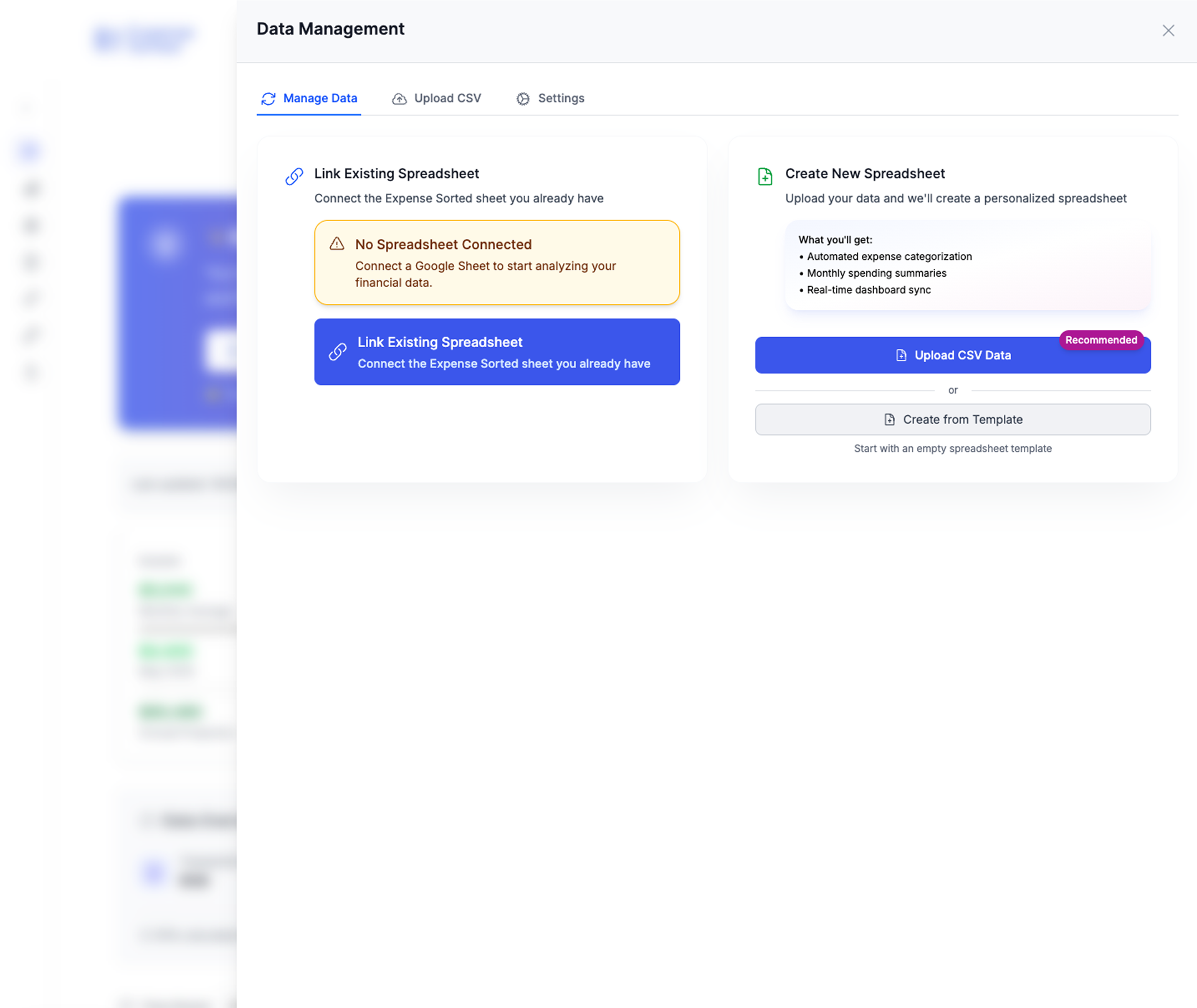
Get our free Google Sheets budget template for couples — pre-built with the income tab, transaction log, dashboard, and budget-vs-actual formulas from this guide. Make a copy and start tracking together in under 5 minutes.
expense tracker for couples with individual and shared budgets
Google Sheets expense tracking tutorial
Frequently Asked Questions
How do I create a budget in Google Sheets for couples?▾
Start with a shared Google Sheets file. Add separate sections for each partner's income, list all shared expenses like rent and groceries, create individual spending categories, and use SUM formulas to calculate totals automatically. Set up monthly tabs to track spending over time.
What is the 50/30/20 rule for couples budgeting?▾
The 50/30/20 rule allocates 50% of combined income to needs like housing and food, 30% to wants like dining out and entertainment, and 20% to savings and debt repayment. Couples can adjust these percentages based on their shared financial goals and individual obligations.
How do couples split bills with different incomes?▾
Common methods include splitting proportionally by income percentage, contributing equal dollar amounts to a joint account, or using an income-ratio formula where each partner pays a percentage matching their earnings. The key is agreeing on one method and staying consistent.
Can two people edit the same Google Sheets budget template?▾
Yes, Google Sheets supports real-time collaboration. Both partners can edit simultaneously, leave comments, and see changes instantly. Share the sheet with edit permissions, and consider using color-coding or separate tabs to track who entered what data.
What is a financial runway calculator and why does it matter for couples?▾
Financial runway shows how many months you could survive without income. For couples, calculating combined runway aligns your goals and shows exactly how close you are to work-optional life.
Do we need to manually enter every transaction?▾
No. Enter transactions as they happen (about 5 minutes a day), or bulk-upload your bank statement CSVs at the end of the month and categorize them in one pass. Either way, the Owner column and the dashboard formulas do the math for you.
Your path to financial independence
- Real FIRE date calculation
- Dynamic runway modeling
- Expense + investment integration
Based on your actual spending and investments
Related Articles
Free Google Sheets Expense Tracker Template (Copy & Customize)
A Google Sheets expense tracker template gives you a ready-made structure—columns, formulas, and summary tables—so you can start tracking spending immediately instead of spending a weekend building a spreadsheet from scratch.
Personal Finance TrackingFamily Budget Google Sheets: The Complete Free Template
A family budget in Google Sheets gives every member of the household a shared, real-time view of income, expenses, and savings goals—with no subscription fees and complete control over your data.
Personal Finance TrackingActual Budget Review 2026: Free YNAB Alternative?
Actual Budget is a free, open-source budgeting app with envelope-style budgeting, bank sync, and complete data privacy. Learn how it works, who it's for, and how it compares to YNAB and Google Sheets.
Personal Finance Tracking